If you manage, administer, or develop on IBM Power Systems, you know that interacting with IBM i requires robust and reliable tooling. You’ve probably used older tools like IBM i Access for Windows. But things have changed. Today, IBM i Access Client Solutions (ACS) serves as the definitive standard interface for modern, flexible, and cross-platform solution for managing and accessing IBM i environments for administrators and developers.
In this blog, I’ll walk you through everything you need to know about IBM i ACS—from its overview and release history to supported platforms, Java requirements, and application packages.
Table of Contents
What is IBM i Access Client Solutions (ACS)?
IBM i Access Client Solutions is a Java-based desktop client that provides a consolidated suite of tools for connecting to and managing IBM i systems. Unlike older tools, ACS doesn’t tie you to a specific operating system. You can run it on Windows, Linux, macOS, or even directly on IBM i—as long as Java is available.
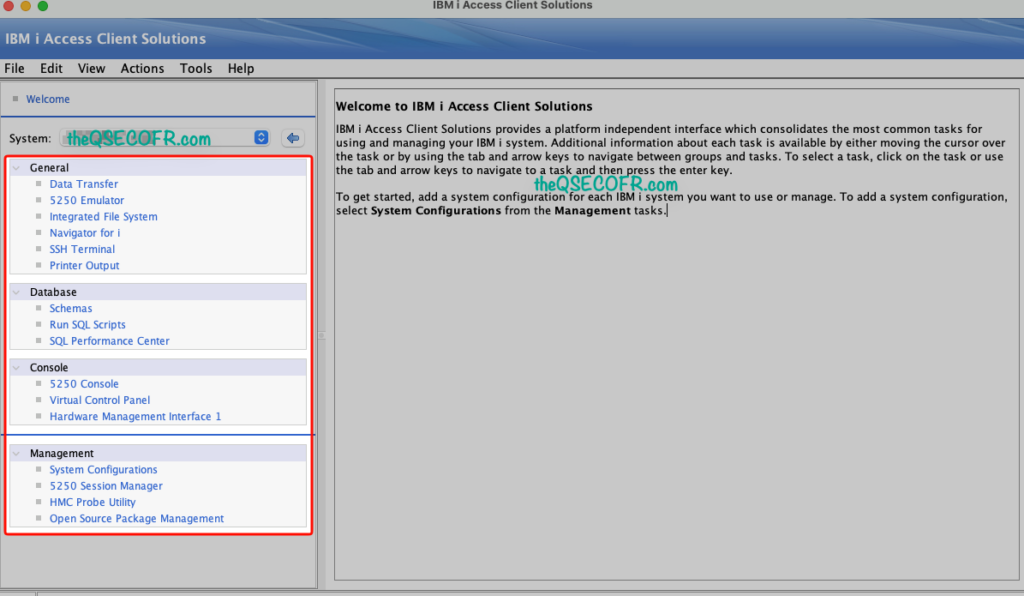
ACS brings together essential IBM i tasks into a single interface, including:
- 5250 terminal emulation
- Data transfer
- Database access
- Printer output management
- System configuration
Whether you need to run SQL scripts, analyze Db2 performance, manage digital certificates, or interact with the Integrated File System (IFS), ACS provides the necessary utilities to handle daily IBM i administration efficiently.
It uses the same IBM i host servers as previous access tools, so compatibility remains strong.
First Release and Current Version
- First Release: IBM officially released ACS in May 2013, shifting the ecosystem toward a modern, Java-centric architecture.
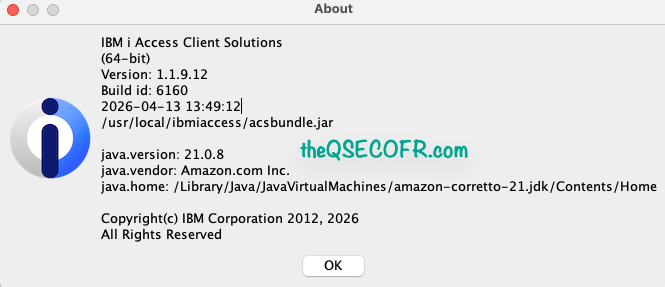
- Current Release: As at today (21 April 2026), the latest version is 1.1.9.12 (released in April 2026).
Why ACS Outperforms the Legacy Client
For years, administrators relied heavily on IBM i Access for Windows. ACS brings several major architectural and functional upgrades to the table that make it far superior:
- Platform Independence: Because it runs on Java, ACS isn’t chained to the Windows registry. You can run it natively and seamlessly on macOS and Linux.
- Simplified, Centralized Deployment: You no longer need to install hefty client software on every local workstation. You can host the ACS base package on a centralized network share and deploy it by pointing workstation shortcuts directly to that server.
- Advanced Database Tooling: ACS drastically improves how you interact with Db2 for i. The Run SQL Scripts interface, Visual Explain, and the SQL Performance Center offer syntax formatting, intelligent indexing advice, and deep performance metrics that the old Windows client simply could not match.
- Modern Security: ACS integrates the latest IBM GSKit updates and fully supports modern TLS 1.3 protocols, moving your communication securely away from deprecated SSL versions.
- Lighter and faster: Less overhead, easier to roll out to large teams, and constantly updated with real user-requested enhancements.
- Future-Proof Architecture: IBM built ACS on Java, making it easier to maintain and extend compared to older native clients.
Supported OS and Compatibility
ACS runs anywhere a supported Java Runtime Environment (JRE) is available. The core base package natively supports:
- Windows (64-bit)
- macOS
- Linux
- AIX
- IBM i (via PASE)
What are IBM i ACS – Application Packages?
While the ACS Base Package handles GUI-based tasks (like your 5250 emulation and SQL scripting), the Application Packages provide the behind-the-scenes middleware that third-party applications need to communicate with IBM i.
These packages contain OS-specific drivers—most notably the ODBC driver—along with APIs for C/C++ and .NET providers. If you are integrating web applications, Python scripts, or custom desktop software with Db2 for i, you must install the specific Application Package on your client machine or application server.
Application Packages: Available Offerings for OS
Because they contain compiled, native drivers, Application Packages are OS-specific. IBM provides separate enablement downloads for:
- Windows: Includes the ODBC/OLE DB/.NET/XDA driver, printer drivers, and the Programming Toolkit.
- Linux: Includes the 64-bit ODBC driver. RPM and Debian installers, unixODBC driver, and Programming Toolkit (supports listed distributions and architectures).
- macOS: Includes the macOS-native ODBC driver. Native support for Intel and Apple Silicon on macOS 12+, unixODBC, and Programming Toolkit.
- IBM i (PASE): Provides the ODBC driver for open-source applications (like Node.js, Python, or PHP) running natively on the IBM i partition. Runs directly on IBM i 7.3+, includes unixODBC and Programming Toolkit.
You only install the packages you need. The base Java package always works, even without them.
Product Availability: How to Get ACS
IBM identifies ACS as Licensed Program Product (LPP) 5733-XJ1. However, you do not install it via the traditional IBM i OS RSTLICPGM command.
IBM i ACS is available to customers with valid IBM i entitlements.
You can obtain it via:
- IBM Entitled Systems Support (ESS) portal
- Physical media (feature 6288 under 5761-SS1 or 5770-SS1)
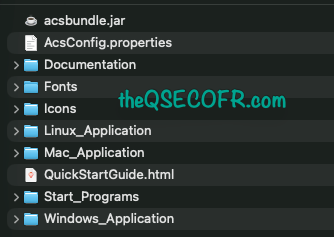
- Direct download as a ZIP package
Obtaining the IBM i Access Client Solutions base package
All of the IBM i Access Client Solutions packages are available as a download on the IBM i Access Client Solutions website. Though the Windows Application package available here is English only. If the full Windows® application package is required, skip to the ‘Obtaining application packages’ section below.
The preferred method of obtaining the base package is to go to the IBM i Access Client Solutions website:
https://www.ibm.com/support/pages/ibm-i-access-client-solutions
From there, click the link to Download IBM i Access Client Solutions base package and sign on with a registered IBM ID, which would be the same ID used to log in to the IBM Fix Central website. After you sign on, the IBM i Access Client Solutions download site will show the account’s Business Contact Information and Privacy settings. Review the IBM i Access Client Solutions license and check the option for I agree. Then click the I confirm button.
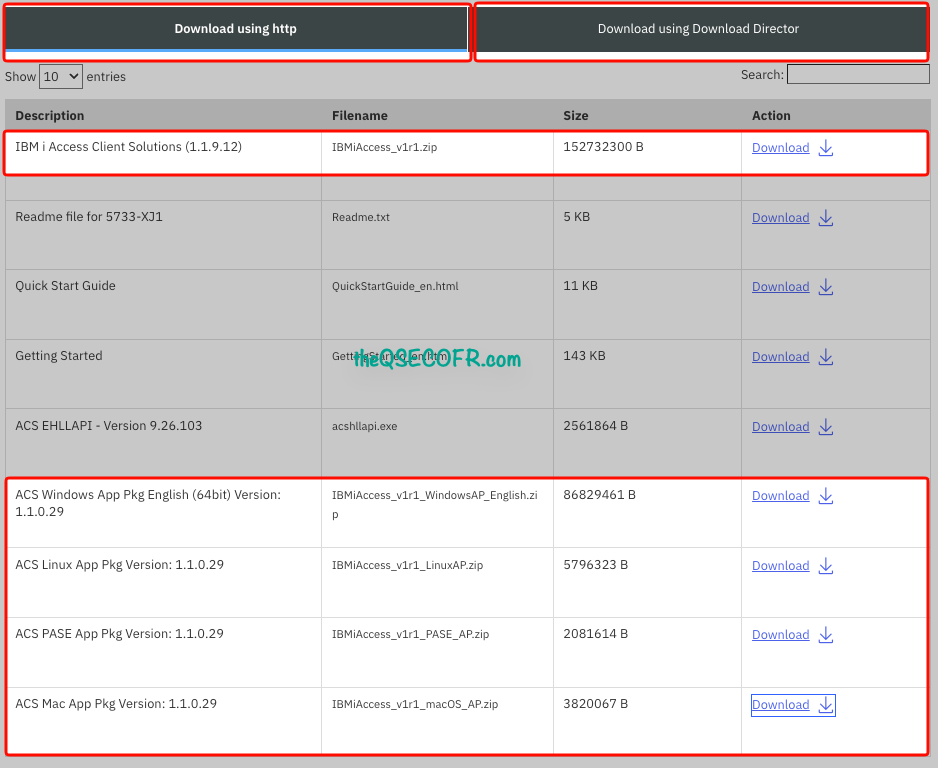
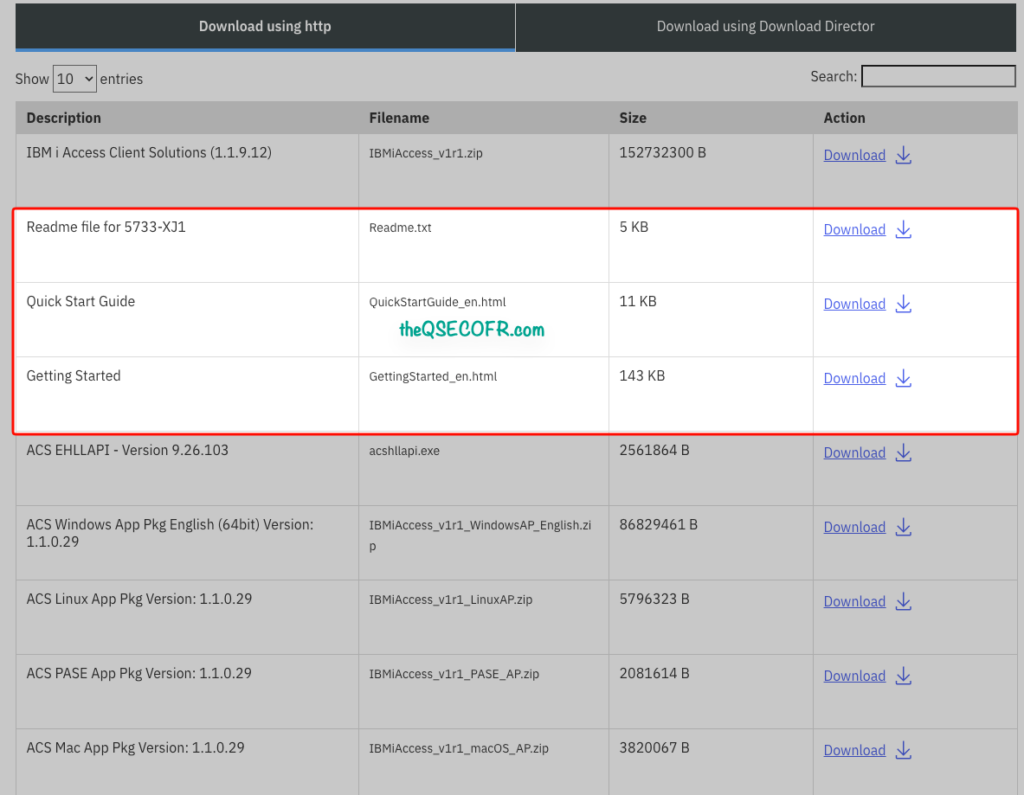
The IBM i Access Client Solutions IBMiAccess_v1r1.zip file along with the Readme file, Quick Start Guide, Getting Started documentation are presented to download, along with the EHLLAPI bridge, English only version of the Windows® application package and the Linux, macOS and IBM i PASE application packages.
The downloads have 2 tabs to use the Download Director tool or Download using HTTP. If there are problems with Download Directory, use the other tab to Download using http. It is a more reliable alternative.
Java Options and Requirements
Because the ACS Base Package is completely Java-based, configuring the correct Java Runtime Environment (JRE) is crucial for smooth operation.
- Minimum Requirement: Java 8 or higher.
- Best Practices: IBM strongly recommends using the current update of a Long-Term Support (LTS) release, such as Java 8, 11, 17, 21, or 25.
- Cost-Free Distributions: Most organizations opt for open-source, no-cost Java distributions. Excellent choices include IBM Semeru Open J9, Eclipse Temurin (Hotspot), Amazon Corretto, or the Microsoft Build of OpenJDK.
- Oracle Java: You can use Oracle Java 8, but keep in mind that using it in a commercial or enterprise setting requires a paid per-PC license from Oracle.
Tip: Use the acslaunch scripts provided in the download folder to automatically locate the best compatible Java runtime on your machine via the JAVA_HOME environment variable.
Key Features of IBM i ACS
Here are some standout capabilities:
- 5250 Emulator (TN5250)
- Supports SSL/TLS encryption
- Keyboard remapping and macros
- Session management profiles
- SQL Scripts (JDBC-Based)
- Direct Db2 for i query execution
- Supports result set export
- Integrated SQL performance tools
- Data Transfer Engine
- Uses Db2 host server jobs (QZDASOINIT)
- Supports batch and interactive modes
- CSV, XLS, and other formats
- IFS Access
- File operations via IBM i APIs
- Drag-and-drop interface
- Integration with local filesystem
- Printer Output Management
- Access spool files (QSPL subsystem)
- Convert to PDF/text formats
- Security Enhancements
- SSL/TLS support
- Multi-Factor Authentication (MFA)
- Secure file handling
- Customization Options: Admins can enable or disable features using configuration files.
Deployment and Administration Benefits
ACS simplifies life for system administrators:
- Centralized deployment via shared location
- Easy updates without reinstalling
- Configurable user access controls
- Lightweight footprint
You can even run ACS from a network share—no local install needed.
1. Centralized Deployment
Host ACS on a shared path:
\\fileserver\acs\Users launch via:
java -jar acslaunch.jar2. Configuration Management
Use:
acsconfig.propertiesdeployment.properties
To enforce:
- Feature restrictions
- Default connections
- Security policies
3. Update Strategy
- Replace shared ACS directory with new version
- No client-side reinstallation required
4. Security Hardening
- Enforce SSL connections
- Disable insecure protocols
- Integrate with enterprise identity systems
Other Relevant Information
- Keep Security Updated: Always keep your ACS client updated. IBM frequently patches vulnerabilities (such as Apache Tika updates) and updates the underlying GSKit to maintain compliance with modern encryption and audit journal standards.
- Open Source Package Management: ACS includes a built-in utility for managing open-source packages. This allows you to easily install, update, and manage RPM packages (like Python, Node.js, and GCC) directly onto your IBM i system via a clean GUI, rather than relying solely on a command-line YUM interface over SSH.
- 64-bit Only Architecture: As of recent versions, IBM has officially dropped the 32-bit installer for Windows. Ensure your workstation environments are fully transitioned to 64-bit architecture to maintain compatibility.
- Data Transfer handles Excel, OpenOffice, and OpenDocument formats with easy bidirectional moves.
- Run SQL Scripts and Visual Explain make database work fast and visual.
- You can launch ACS without installing anything—just unzip and double-click.
- Keyboard shortcuts, system groups, and plugins make daily work even smoother.
Documentation
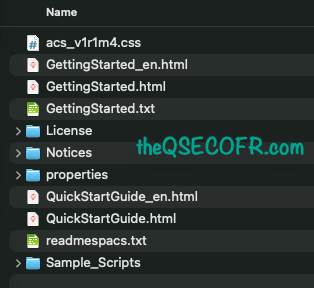
- IBM i Access – ACS Quick Start Guide simple starting point for installing the product on a single PC workstation. This guide provides instructions on how to deploy this product on a local disk drive for a single user.
- IBM i Access – ACS Getting Started Guide contains instructions for deploying the product that work for most users running Windows, Mac, or Linux. To install this product for a single user, or for a multi-user PC, see the QuickStartGuide in the Documentation folder.
- Readme files (readmespacs.txt) lists enhancements and fixes in current and previous update levels.
The links are provided below.
Final Thoughts
IBM i Access Client Solutions is more than just a replacement—it’s a complete evolution of IBM i client access.
If you’re still using older tools, switching to ACS gives you:
- Cross-platform flexibility
- Easier deployment
- Better security
- Continuous updates
For modern IBM i environments, ACS isn’t optional anymore—it’s the standard.
Useful Links:
- Technote with more details: https://www.ibm.com/support/pages/obtaining-ibm-i-access-client-solutions
- Obtaining IBM i Access Client Solutions: https://www.ibm.com/support/pages/obtaining-ibm-i-access-client-solutions
- IBM i Access – Client Solutions: https://www.ibm.com/support/pages/ibm-i-access-client-solutions
- IBM i Access – ACS Quick Start Guide: https://www.ibm.com/support/pages/ibm-i-access-acs-quick-start-guide
- IBM i Access – ACS Getting Started: https://www.ibm.com/support/pages/ibm-i-access-acs-getting-started
- Release Notes: https://www.ibm.com/support/pages/ibm-i-access-acs-updates
In the next post, we’ll delve deeper into the topic of Mastering IBM i ACS Deployment, specifically focusing on enforcing security measures and restricting certain features.