In the world of IBM i, the “reboot” process is far more sophisticated than just turning a machine off and on. Understanding how the system manages its code across different “Sides” and “Modes” is the difference between a seamless update and a total system outage. These concepts form the backbone of safe PTF management on IBM i. You apply fixes without fear of breaking everything thanks to this clever dual-copy design.
In this post, I explain IPL in detail, break down A-side and B-side, show you the different IPL types (A, B, C, D), and give practical commands and steps. Let’s get you confident with reboots and PTF activations!
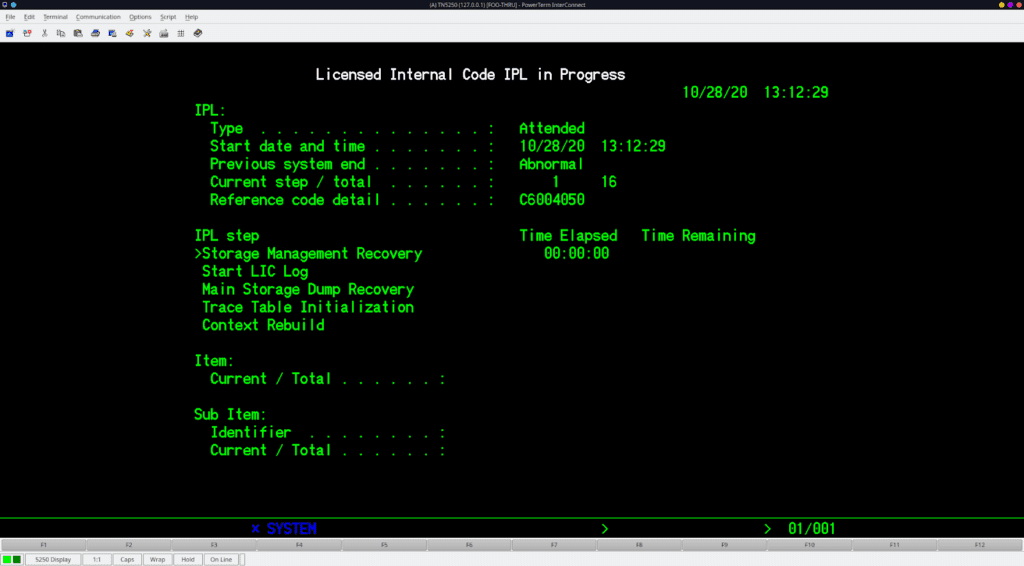
Table of Contents
What Is IPL and Why Do You Perform It?
You start your IBM i system with an Initial Program Load (IPL), that’s the official name for a reboot or power-on sequence. But it does more than just start the OS. During IPL, the system initializes hardware, loads the Licensed Internal Code (LIC), starts the operating system, and activates certain PTFs.
During an IPL, IBM i:
- Loads Licensed Internal Code (LIC)
- Activates system objects and kernel services
- Applies delayed PTFs (especially LIC fixes like MFxxxxx).
- Switches between A side and B side when required.
- Recover from issues or test changes.
- Initializes hardware and subsystems
Without IPL, many critical fixes stay pending. You schedule IPL during maintenance windows to minimize disruption. In short: an IPL defines which system code you run.
Understanding A-Side and B-Side: The Dual-Code Magic
IBM i uses a brilliant safety mechanism for its Licensed Internal Code (LIC). Instead of having one single copy of the operating system core, it maintains two separate areas on the disk, A-side and B-side.
What is the A Side?
- A-side: You run the permanent, stable copy here. Think of this as your “stable” or “factory” version. It contains only permanently applied PTFs. When your system ships new or after a release upgrade, both sides match exactly. When you permanently apply PTFs (fixes), they are written here. It represents a known-good state of the system.
What is the B Side?
- B-side: The B Side is the Temporary side. This is your “test lab.” When you install new PTFs, the system places them on the B Side first. This allows you to run the latest code while keeping the original A Side untouched. Temporary fixes live only on B-side until you make them permanent.
For non-LIC PTFs (OS or application fixes), sides matter less—they apply system-wide.
You use commands like APYPTF with DELAYED(*YES) for delayed activation during IPL, or RMVPTF with RMV(*TEMP) or *PERM to remove.
How It Works
- Both sides contain Licensed Internal Code (LIC)
- Only one side runs at a time
- The system switches sides during certain IPLs
How to check which side you are running:
- Run the following command on your command line:
DSPPTF - Look at the top of the screen for the IPL source. If it says,
##MACH#A→ System running from A side##MACH#B→ System running from B side

Key rule: Temporary LIC PTFs activate only when you IPL to B-side. Permanent PTFs live on A-side and stick forever (you rarely remove them).
IPL Types: A, B, C, D – When and How to Use Each
An IPL is the process of loading the operating system into the system’s main storage. Depending on what you are trying to achieve (maintenance, recovery, or install), you will choose a specific IPL Type.
- IPL Source A (The “Safe” Mode)
- What it does: Boots the system using the code on the A Side (permanent) with stable code.
- When to use it: Use this if the B Side becomes corrupted or if a recent PTF application caused the system to fail. It ignores all “temporarily” applied fixes.
- Command example:
PWRDWNSYS OPTION(*IMMED) RESTART(*YES) IPLSRC(A)
- IPL Source B (The “Standard” Mode)
- What it does: Boots the system using the code on the B Side. Use it most often:
- When to use it: This is the default for production. It includes all your latest PTFs and Technology Refreshes. Activate temp LIC fixes after applying PTFs. Routine reboots usually go here.
- Command:
PWRDWNSYS OPTION(*IMMED) RESTART(*YES) IPLSRC(B).
- Type C IPL
- What it does: Special/service IPL (less common for administrators) is reserved strictly for hardware service and is rarely, if ever, used by system administrators.
- When to use it: Licensed Internal Code (LIC) recovery, Hardware changes, It’s used for advanced diagnostics or service rep tasks. You rarely need this.
- IPL Source D (The “Recovery” Mode)
- What it does: Boots the system from an alternate source rather than the internal disk. This source is usually an Image Catalog (Virtual Media), Tape, or DVD.
- When to use it: You use D-Mode for full OS installations, migrations, or disaster recovery scenarios where the disk is not bootable.
You specify the IPL source in
PWRDWNSYSwithIPLSRC()or set it via control panel (for manual IPL). InGO PTF Option 8, the system often handles switching automatically.Pro tip: Your PTF cover letter always tells you the required IPL type—read it first!
Why the “Switch” Matters
This dual-side design gives IBM i one major advantage:
- You can test fixes without risking production
- You can roll back instantly
- You avoid “half-installed” system states
That’s why IBM i systems survive updates that would cripple other platforms. When you install a Cumulative PTF package, the system usually requires a Delayed IPL. During this process:
- The system copies the existing code.
- It applies the new fixes to the B Side.
- The system reboots into Source B.
If everything works perfectly for a few weeks, you should “Permanentize” those fixes. This moves the code from the B Side to the A Side, making both sides match again and clearing up temporary storage space.
To move fixes from B to A (Permanent Apply):
APYPTF LICPGM(*ALL) SELECT(*ALL) APY(*PERM)Summary Table: IPL and Sides
| Feature | A Side | B Side | D Mode |
| Status | Permanent / Stable | Temporary / Current | Alternate Media |
| Code Level | Older, proven fixes | Latest installed patches | Install/Recovery code |
| Typical Use | Emergency Rollback | Daily Operations | OS Upgrades |
| Risk Level | Very Low | Low (Testing new code) | High (System Change) |
Wrapping It Up
You now know IPL isn’t just a reboot—it’s your gateway to safely manage fixes via A-side (stable, permanent) and B-side (test, temporary). Master commands like DSPPTF, PWRDWNSYS … IPLSRC(B), and GO PTF workflows, and you handle updates like a pro. What IPL surprises have you encountered? Drop a comment below—I’d love to hear your stories! For official details, check IBM’s PTF and IPL support pages.
Keep your system running strong!
- Work with Licensed Internal Code (LIC) — Explains A/B side behavior, how PTFs affect LIC, and which IPL type boots which side of LIC. https://www.ibm.com/docs/en/power7/8408-E8D?topic=options-work-licensed-internal-code
- PTFs: FAQs / Question and Answers (IBM Support) — Covers how A/B sides interact with temporarily and permanently applied PTFs during IPLs. https://www.ibm.com/support/pages/ptfs-faqs-question-and-answers
- Permanently Applying PTFs (IBM Support) — Shows examples of applying PTFs and how permanent fixes relate to IPL behavior. https://www.ibm.com/support/pages/permanently-applying-ptfs
- Manual IPL (IBM Support) — Provides guidance on performing a manual IPL and why you might choose one type over another.https://www.ibm.com/support/pages/manual-ipl